








UEStudio 2026.0 for Windows
Git, JavaScript, macros, terminal usage, and core editing improvements
UEStudio 2026.0 brings the latest UltraEdit improvements into a development-focused environment. This release focuses on stronger FTP compatibility, continued security hardening, smoother editing behavior, and refinements across Git, JavaScript, macros, terminal usage, and project workflows.
Core UltraEdit improvements included
UEStudio 2026.0 includes the same core editing improvements introduced in UltraEdit 2026.0.
FTP, SFTP, and FTPS compatibility has been improved with support for additional key exchange algorithms, MAC algorithms, and cipher algorithms. FTPS performance has also been improved by addressing long save times when saving to certain servers.
Search and Find in Files are more predictable, with refinements around search progress, regular expression settings, UTF-8 display, and search results. Column mode also receives improvements across paste behavior, delete behavior, selections, TAB handling, and clipboard behavior.
Development workflow refinements
This release also includes improvements specific to UEStudio workflows.
You can now cancel the git log command, giving you more control when working with Git inside the editor. JavaScript function lists have also been improved, including better handling for async functions.
Macro-related workflows received attention as well, including fixes for JSCompressDocument and JSFormatDocument when used in macros, plus improved behavior when editing macros after deleting one.
PowerShell Terminal behavior has also been refined, especially when launching UEStudio through a shortcut file with an assigned shortcut key.
General improvements
UEStudio 2026.0 also includes continued security hardening, static analysis improvements, UI and settings cleanup, and various fixes based on user reports.
This release continues our focus on targeted improvements to existing workflows. Read the full announcement for technical details, or visit our download page to get the latest version of UEStudio.
What’s New
UEStudio 2026.0 for Windows brings UltraEdit’s latest improvements to development workflows, with refinements for Git, JavaScript, macros, and terminal usage.
UEStudio 2025.2
Improved EDI Support, Live Find and Replace Matching, and Performance Enhancements
Improved EDI file support for specialized workflows
Building on the EDI syntax highlighting added in 2025.1, this release introduces wrap/unwrap functionality specifically for EDI data streams. EDI files typically lack line breaks, making them difficult to read and edit manually.
Unwrapping intelligently breaks EDI data into readable segments—each record appears on its own line with improved syntax highlighting. When you’re done editing, wrap it back to preserve the original format.
Both X12 (US standard) and EDIFACT (international standard) are supported, covering domestic and cross-border transactions seamlessly.
Live highlighting in Find and Replace
Find and Replace now provides real-time visual feedback as you type. Matches are immediately highlighted in your document—whether you’re searching plain text or crafting complex regular expressions.
This feature extends the live highlighting already available in Quick Find to the Advanced Find and Replace dialog. For regex users especially, this means instant verification that your pattern is matching what you expect. See exactly what your expression captures as you build it, eliminating the trial-and-error cycle of typing, searching, and adjusting.
General improvements
This release also includes various bug fixes and performance enhancements based on user reports from 2025.1.
This release continues our pattern of targeted improvements to existing workflows. Read the full announcement for technical details, or visit our download page to get the latest version of UEStudio.
UEStudio 2025.1
Enhanced AI Integration, updated SFTP, and improved EDI Support

First off, we added an option to make the Pieces AI plugin take in more project context. The enhanced plugin can now access all open files, project files, or entire folders to provide more relevant suggestions. No more AI responses based on just a single file snippet when you’re working on complex, multi-file projects.
Next up, UE’s security and connectivity receive major upgrades with FTP, FTPS, and SFTP updated to the latest protocols. New ECDSA encryption support means you can now connect to systems that were previously inaccessible due to stricter security requirements. Enhanced algorithm compatibility and improved connection stability ensure your secure file transfers work reliably across enterprise environments.
International accessibility takes a leap forward with built-in interface language switching, first requested by a client company, so you can choose from multiple interface languages including Japanese, Chinese, German, Spanish, and more without reinstalling the entire application.
Lastly, comprehensive EDI support has been added as default packages for those working with global teams and specialized industries. EDI files now come with syntax highlighting for both US and international standards, eliminating setup hassles for business data workflows.
This release is update-focused based on the most common requests centered around improving existing workflows. Continue reading our announcement blog post if you want the details. If you want to get the newest versions right away, visit our download pages for UltraEdit or UEStudio.
UEStudio 2025.0
Featuring UEStudio Git integration, plugin and webtools SDK preview, and key updates for hex editing, column mode, and more.

Additionally this release marks the preview for our Plugin SDK including its counterpart plugin manager and plugin Wizard. We’ve also included examples and documentation so you can test out the new plugin architecture. Plus, you can also have webtool integrated in a similar way.
There’s a lot to unpack in this release so continue reading our announcement blog post if you want to learn everything about it. If you want to get the newest versions right away, visit our download pages for UltraEdit or UEStudio.
UEStudio 2024.3
Get a smoother experience with multiple quality focused improvements and fixes!

UltraEdit & UEStudio 2024.3 are now available to download. This is a quality focused release that features several improvements for all users and key product areas.
This release introduces a plethora of improvements and fixes from various user requests. This includes improvements in editing/formatting, function list, XML file handling, application theme management, search and more.
For the complete list of the many changes in this release, continue to our announcement blog post.
We hope at least one of these fixes makes your day easier. Visit our download page to download the latest versions of UltraEdit and UEStudio.
UEStudio 2024.2
Harness the power of AI and LLMs using Pieces for Developers inside UEStudio!

UEStudio has been updated to UE 2024.2. This update introduces the power of AI and LLMs into the editor via the Pieces for Developers plugin. This brings multiple firsts to UEStudio: an AI multi-LLM assistant and a new plugin UI framework.
Also in this release is a much-awaited update to Hex/Binary mode. Edit bytes directly and more intuitively with a new insert/delete option, and get better control with a new select range command.
It is our pleasure to release this very update this holiday season. Visit our download page to download the latest versions of UltraEdit and UEStudio.
If you want to learn more about the many changes in this release, continue to our announcement blog post.
UEStudio 2024.1
A host of QoL changes, bug fixes, and UI improvements intended for all users.

UEStudio has been updated to UES 2024.1 and this release brings fixes for commonly reported problems and bugs, and quality of life improvements to the features and workflows that need them most. All in all, we have a pretty hefty but varied release that hopefully benefits most if not all of our users.
Most notably, are the UI changes introduced for a number of UES dialogs and windows. From adding new commands that make sense, to adding subtle but useful prompts and information, UES updates the interface based on the most requested items.
Furthermore, this release adds a couple of new features and commands where relevant. For instance, in the XML manager, you can now edit attributes apart from just viewing them. We’ve also added adjustable windows for compare dialogs.
Continue to our announcement blog post to learn more about the many changes in this release.
Download the latest versions of UltraEdit and UEStudio here.
UEStudio 2024.0
Cloud storage services make its way into the editor, along with new ways to script and automate workflows.
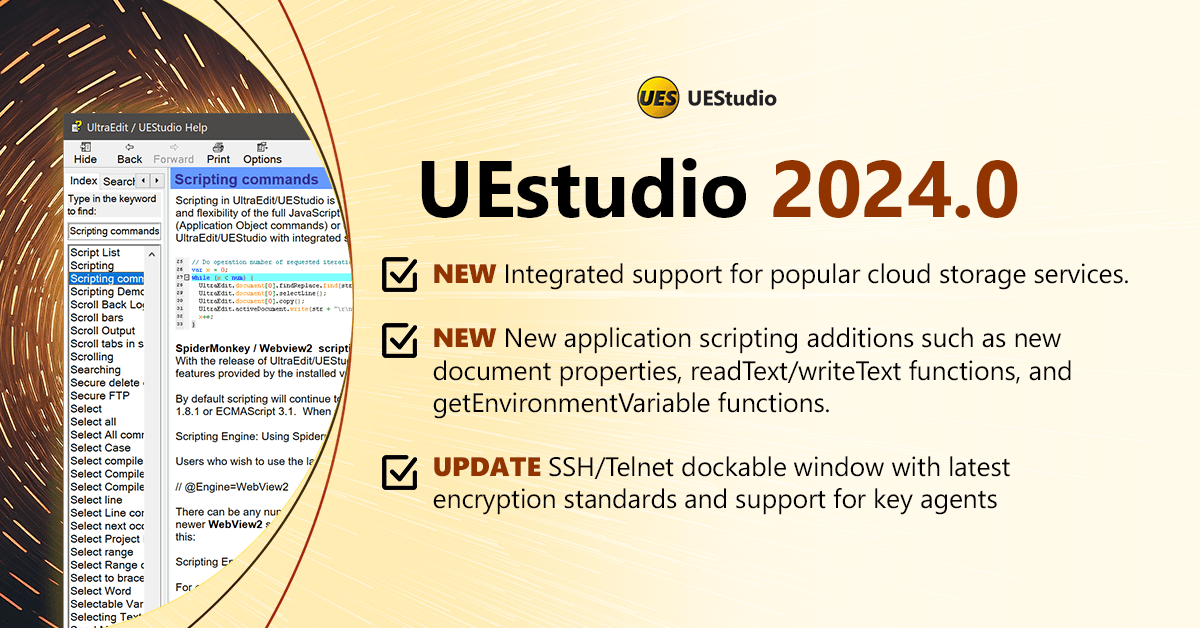
The first UEStudio release for 2024 brings cloud storage services integration into the editor, more scripting options and properties, and crucial updates to SSH/Telnet features.
First up, cloud storage services integration that first appeared in other tools in the suite are now in the text editor. You can now search and scan all your files inside UEStudio, including those in the cloud.
Secondly, we added a bunch of new functions and features for those using scripts to automate tasks and simplifying repetitive tasks using the editor. If you use scripts, it is recommended to go through the list of added commands and properties.
Lastly, an update for Telnet/SSH administrators. The aforementioned features have added support for key agents and have been updated with the latest encryption standards.
You can download the latest versions of UltraEdit and UEStudio now, or continue to our announcement blog post to learn more about the changes in this release
UEStudio 2023.2
A new Macro UI, the first plugin features and more QoL changes.
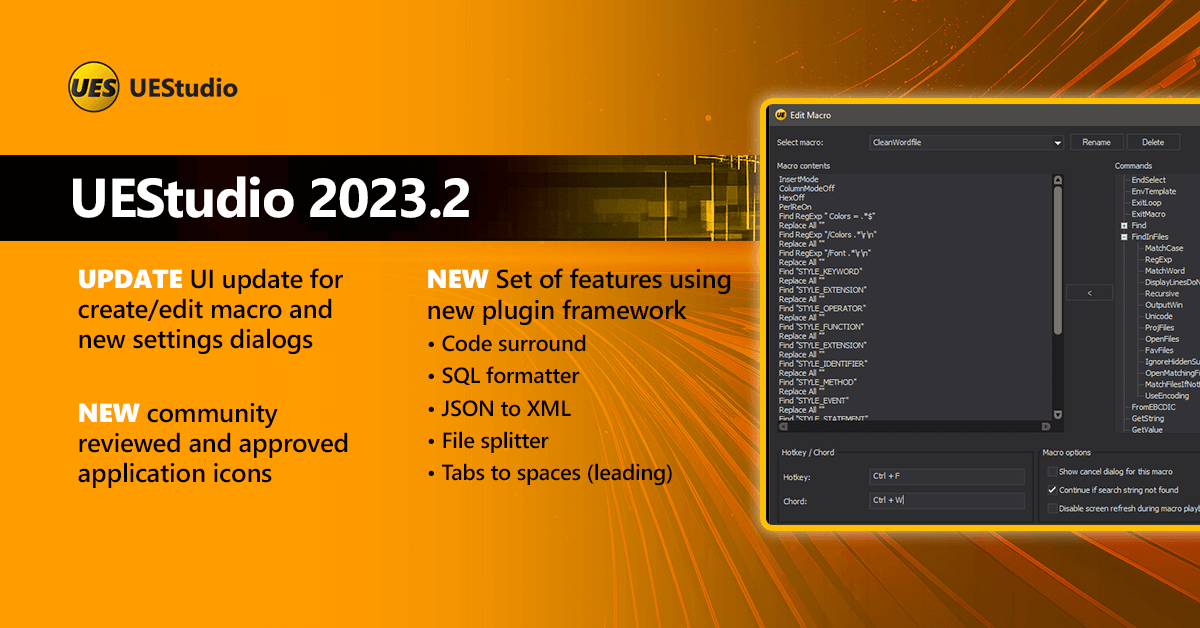
First up, an overhaul of the macros interface aimed at making editing and saving macros much more intuitive and easier to use.
Secondly, we have our first set of features based upon the newly developed plugin architecture, (mainly as a proof of concept for now). Later on, when the SDK is released, users will be able to submit and share their own plugins.
Lastly, a couple of key improvements and fixes round up the release. These are maintenance and QoL-focused items that were results of user reports. And as a bonus, this version will use the new set of UEStudio icons that were approved and reviewed by the community.
Download the latest version of UEStudio now.
UEStudio 2023.1
Editing large files? No more fiddling around with settings with enhanced large file mode.
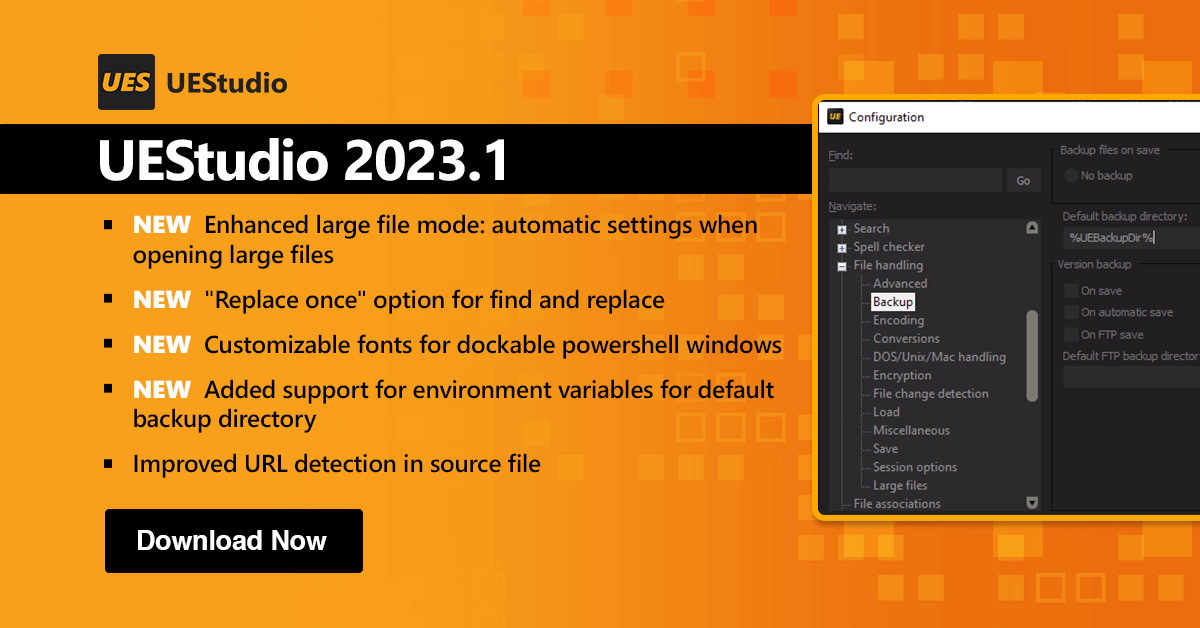
UEStudio is getting refreshed with UES 2023.1! This update is headlined by the introduction of the enhanced large file mode we teased back during the webinar on large file handling. Also in this release: QoL improvements to find and replace, PowerShell window fonts, and a couple of feature reliability optimizations.
UES 2023.1 is primarily maintenance focused, addressing stability, SpellCheck, C# function detection, and many other customer requested items. However, it also includes an enhanced Large File Mode, a hallmark feature of UEStudio. Large file editing( multi-GB or larger) is now easier to use and more customizable:
- Brings all large file settings into a common location
- Enable/disable line numbers, code folding, Intellitips, and more
- Fine tune large file editing to a user’s specific environment and workload
Additional enhancements include “Replace once” functionality for Find/Replace, improved detection and handling of URLs, and new configuration options for PowerShell fonts and handling of environment variables for backup folders.
UEStudio 2023.0
Featuring a scripting language overhaul, integrated powershell terminal, and improved live preview.
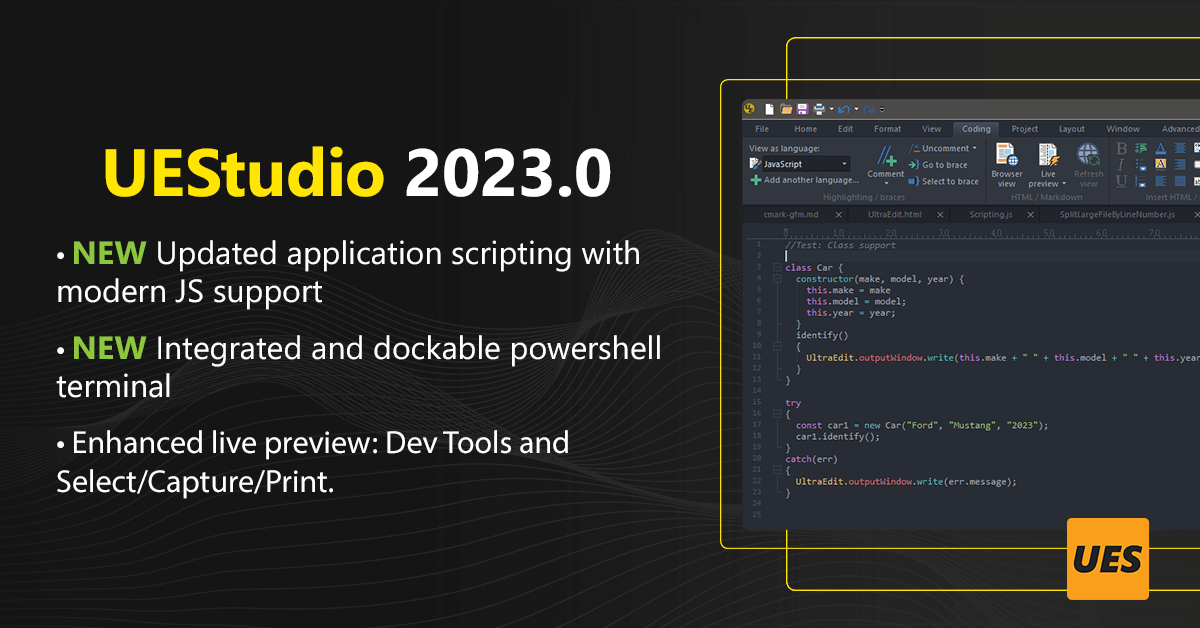
UEStudio is back for 2023 with fresh updates and an overhaul of its scripting engine. These changes initiate the capability of adding more contemporary functions and components to the editor.
The internal scripting architecture of UEStudio has been updated. Most importantly, this serves as the technological foundation for more big things in UEStudio in the coming years. More on this in the blog. From a user perspective, this change opens up the possibility of using more complex automations and the ability to utilize modern functional browser components with advanced JavaScript features.
We also have a new integration in the form of a powershell instance directly running inside the editor as a dockable window—a great quality of life change for those used to using the command line and its integrated scripting alongside UltraEdit.
Lastly, we have an update to Live Preview. Dev tools are now enabled in the preview pane. In a similar way to how pressing F12 on a Chrome browser opens the inspect element window, you can now do the same by accessing the context menu. Copying straight from an HTML file is also now made easier with the addition of select, capture, and print functionality.
To get a comprehensive understanding of all the changes in UEStudio 2022.0, we highly advise reading through the release announcement blog.
UEStudio 2022.2
Featuring updated Git-hub flavored markdown and dozens of quality improvements
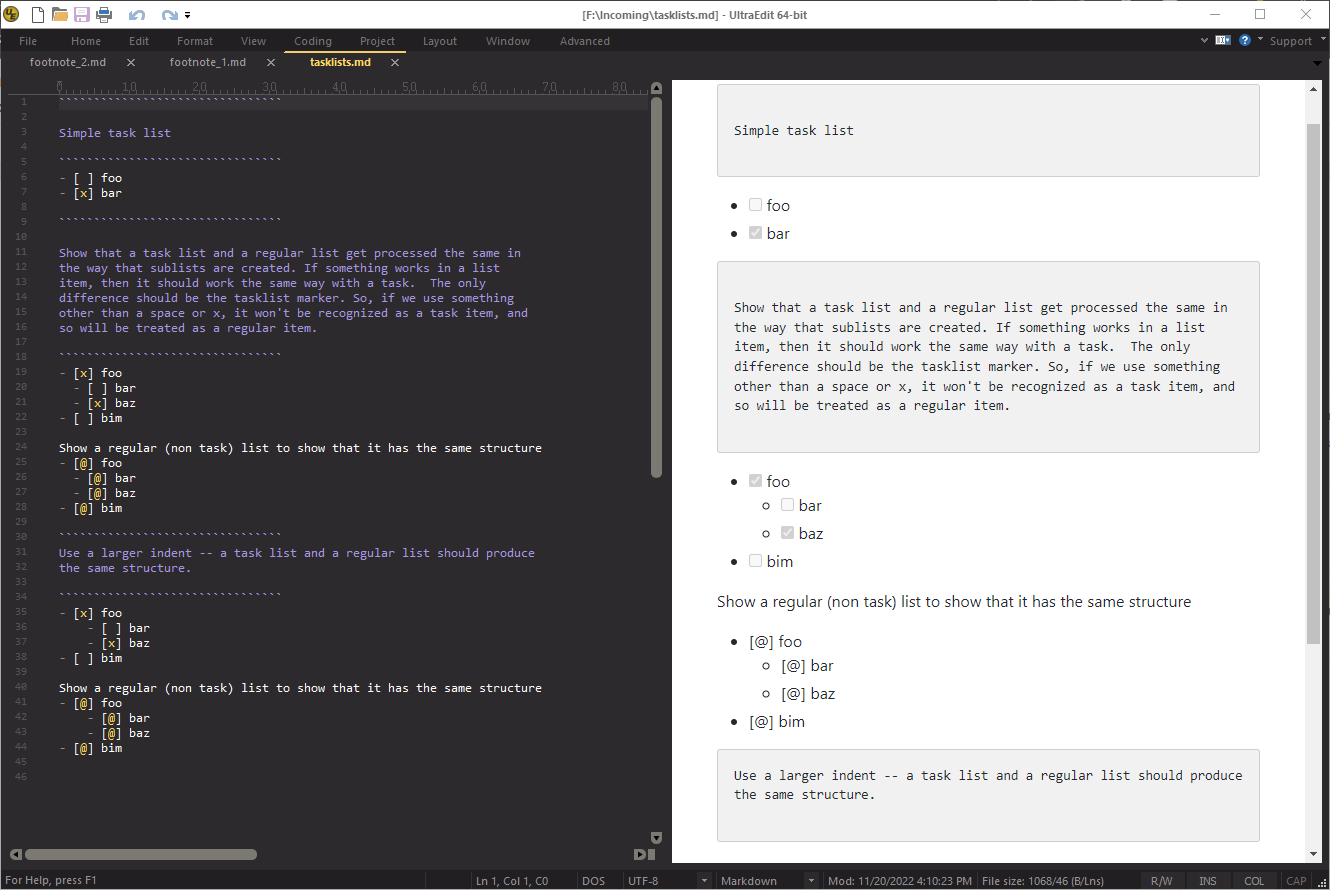
- Updated markdown engine: footnote and task list in live preview.
- Updated FTP/FTPS/SFTP to latest standard & protocols.
- Updated CSS wordfile.
- NEW Quick open URLs in text editor
- NEW Monokai theme
- NEW Option to disable auto-recover prompts after unexpected close
The last update to UEStudio 2022 features quality improvements and new features.
This release carries the momentum of improving existing functionality based on user requests.
First off, a couple of updates to some of the editor’s backend functionality. UE 2022.2 brings the editor up to par with the latest standards on markdown-formatting. You can now utilize footnote syntax and tasklist-style checkboxes in UltraEdit markdown fields and live preview.
FTP/FTPS/SFTP have been updated to the latest protocols and technologies. Apart from improving performance overall, this fixes many unwanted behaviors present in older versions.
CSS syntax highlighting and support have been updated thanks to a new wordfile. Confidently use the latest browser specific keywords and properties. Syntax highlighting for classes and attribute identifiers also refreshed.
Quality of life improvements
A major consideration in every 2022 release, quality of life improvements also make its way to 2022.2.
- First seen on UE Mac, you can now select and launch URLs straight from the editor via Ctrl + Shift + Click.
- File tab switching performance for large sets of files was improved significantly.
- NEW Option to disable auto-recover prompts after system or application failure (files will be recovered without asking the user)
Bonus: New Monokai Theme
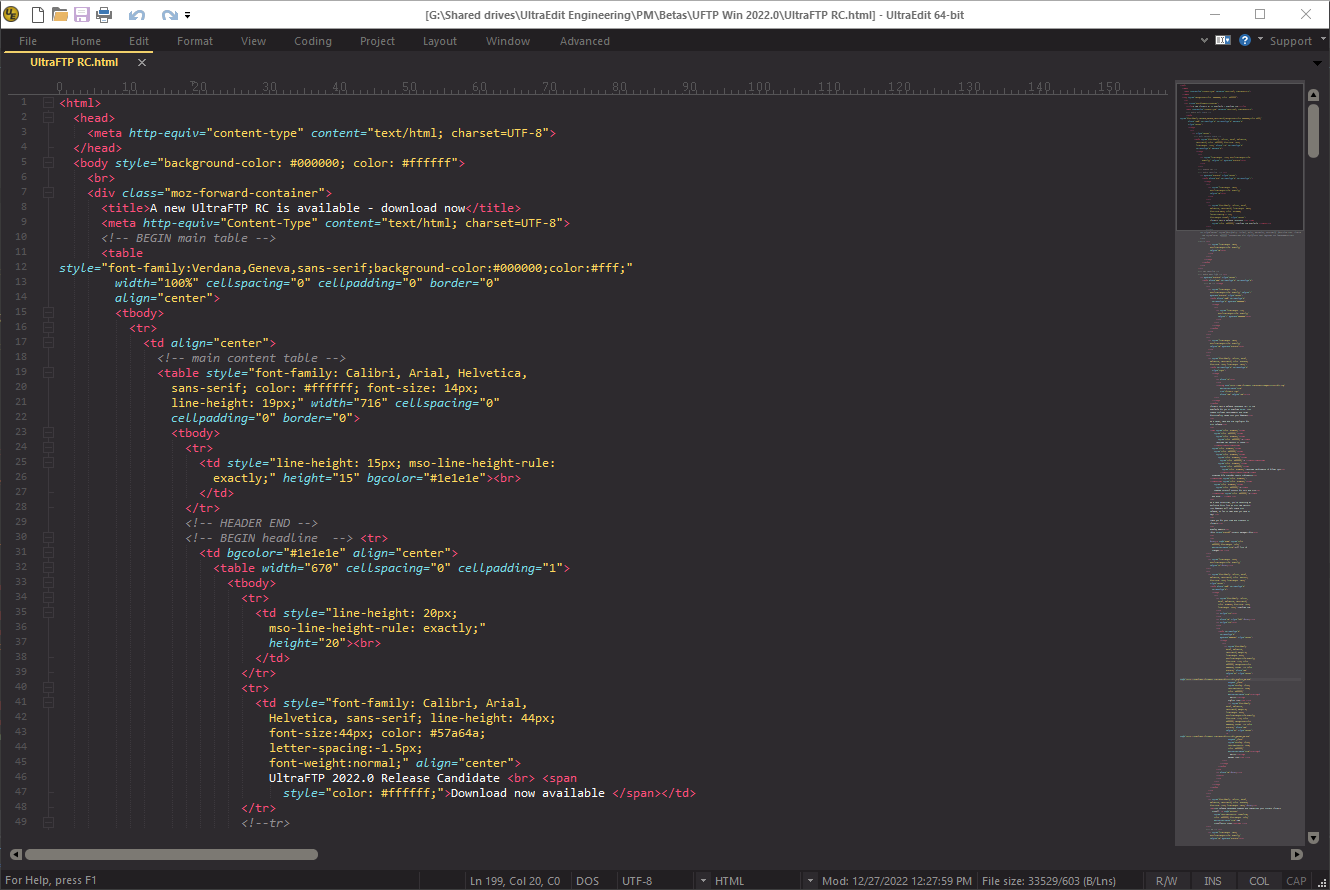
If you’re looking for more options, browse through UE’s available themes here.
As this is a quality focused release, there are several other items listed below. Be sure to check them out. If you have any questions or feedback, email us at [email protected].
- Other notable quality improvements
- NEW Column mode navigation: skip text delimited by spaces (Ctrl + Left/Right Arrow)
- NEW Perl highlighting shows all text as comment following “\qq”
- Fixed files added to project root instead of group folder
- Fixed wordfile changes not reflected until file save
- Fixed command line flags return incorrect path error
- Fixed reindent selection doesn’t work with unordered list
- Fixed status bar flickers when typing with wrapped lines
- Fixed search behavior in infinite column mode
- Fixed Perl regex “\K” not finding all matches
- Adjustment for quick find Ul to prevent hidden or partially visible window
UEStudio 2022.1
All-new navigation features inside the command palette, WebView2
integration, better SFTP security, and more…
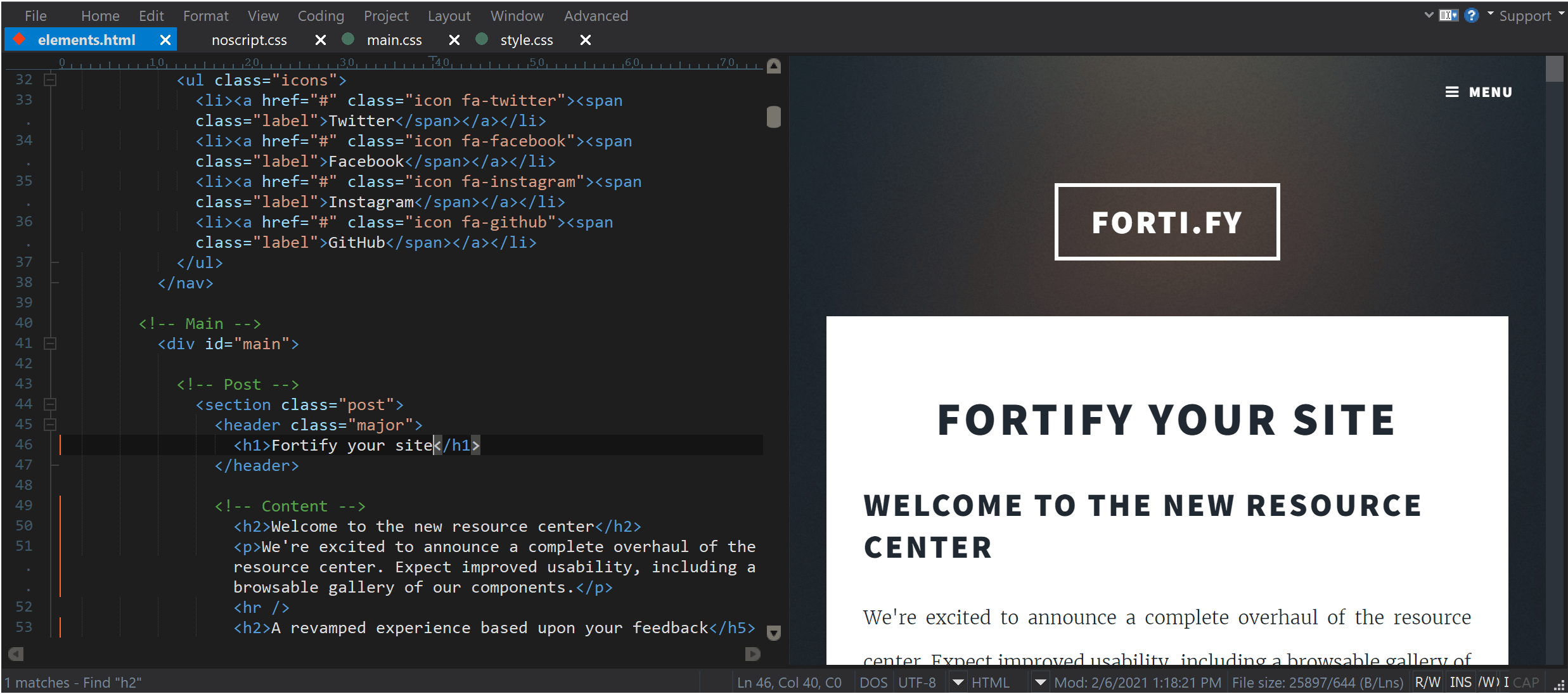
HTML browser and live preview powered by new rendering engine
UE 2022.1 comes with the integration of WebView2, a Chromium-powered rendering engine that significantly upgrades browser view and live preview. This replaces the Internet Explorer-based control to render HTML used in older versions of UltraEdit.
This means you can use and enjoy newer web technologies available in the modern web ecosystem (HTML, CSS, and JavaScript) — and simultaneously see it all from the editor.
2-factor authentication (2FA) for SFTP connections
You can now connect to SFTP servers that require Time-based One Time Passwords (TOTP), or more commonly known as two-factor authentication (2FA).
We significantly refactored FTP code to provide a favorable experience when working with 2FA connections. This extended to all FTP dialogs, the FTP explorer, reloaded FTP files, and beyond.
To activate, access the new interactive login option by going to the Advanced tab in the account manager. With this set and with 2FA configured on the server, you’ll be prompted to enter your TOTP from an external authentication system. Once authenticated, UltraEdit’s connection manager limits all data and commands to the single connection to avoid multiple authentication prompts.
What does a hex editor do?
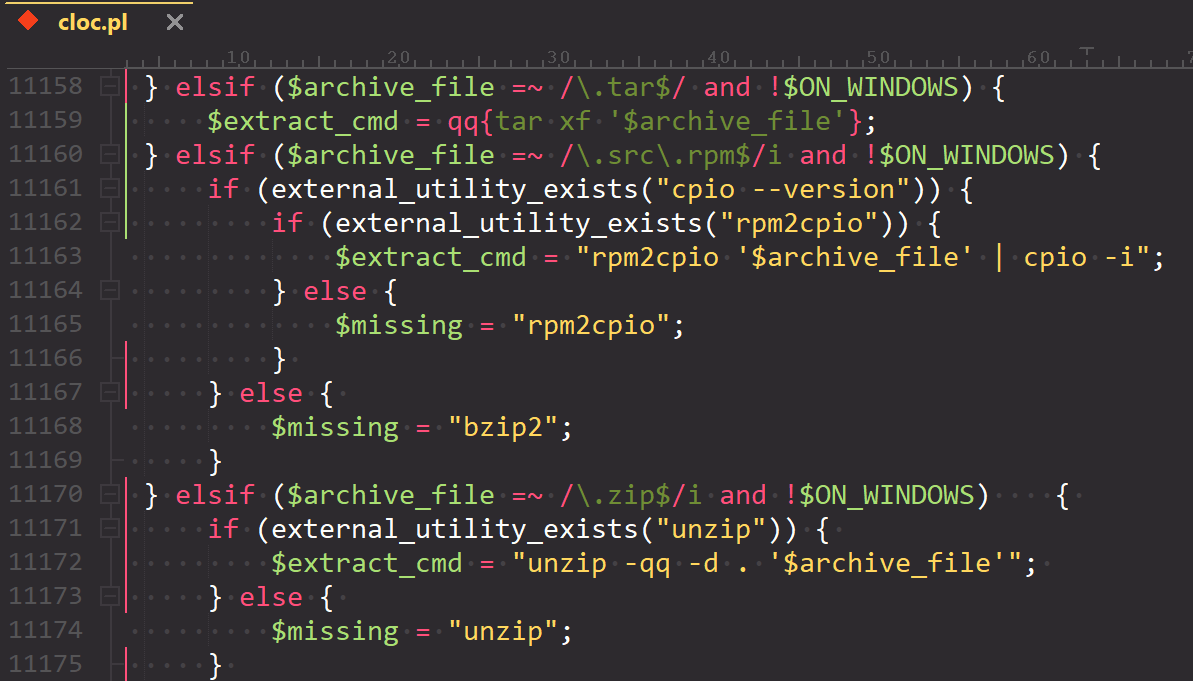
- Syntax highlighting maintained when selecting
- Support for block comments opened with same characters as line comments
- Support for arbitrary string pairs (square brackets, backticks, etc.)
- Added support for Perl quote-like string operators, e.g.:
qq(STRING) - Improved XML code highlighting with embedded
CDATAsections - Addressed syntax highlighting issues with word-wrapped lines
Code highlighting routines have been re-engineered in UE 2022.1 for better and faster syntax highlighting. Code highlighting computations have been separated from the rendering computations of text on the screen.
This simplifies the process and has eliminated many bugs, making code highlighting reliable, faster, and more consistent—particularly useful if you use languages with highly specialized syntax and rules. However it also helps for key languages like Perl, PHP, JavaScript, and more.
This will lay the groundwork for regexp-based keyword highlighting that is currently under development.
Reimagined navigation with new command palette shorthand
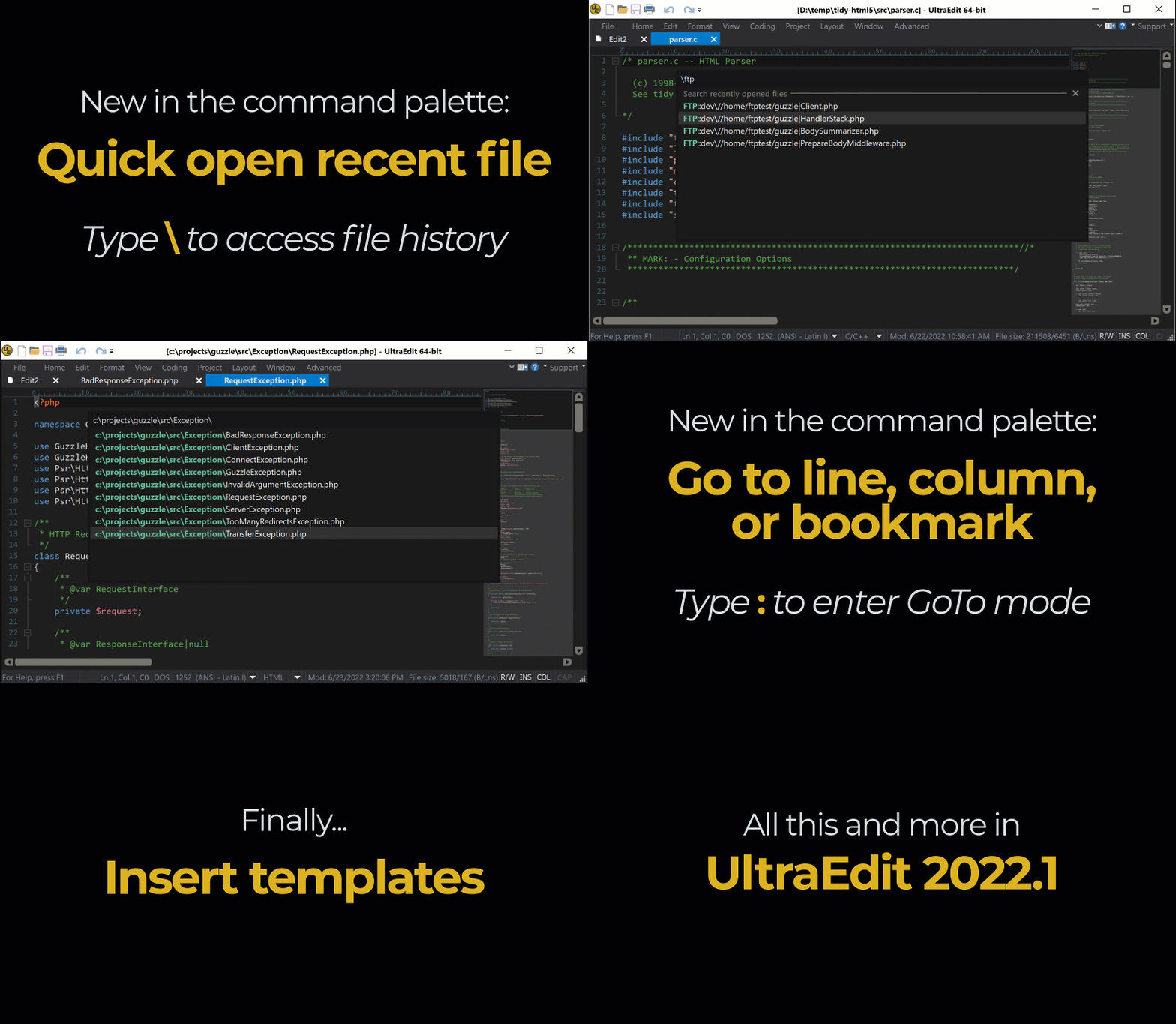
Being able to quickly jump around text and code can save you loads of time— so we’ve added a new nifty way to navigate projects. This feature was added to have the option of avoiding unnecessary interactions with the mouse.
Now you can find, open, and navigate files by typing queries into the command palette (Ctrl + Shift + P).
This new functionality will search through all previously opened files in your history. (The recently opened file list can only have up to 32 entries). This means that with Quick Open Previous, you no longer need to leave the editor and manually find a specific file if it has been previously opened even once. In a similar fashion, if you know the file directory you can use Quick file open instead.
- Quick open previously opened file:
\+ file name or part of file path / name - Quick file open*:
source file path / directory address - GoTo line, column, bookmark:
:+ line number / bookmark number or name
* wildcards (*) supported
Other notable updates…
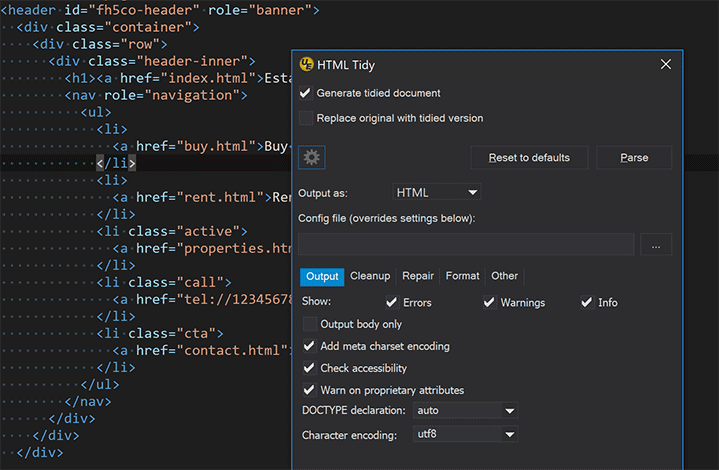
HTML Tidy UI and commands list overhaul
Add/remove and rename output windowsa
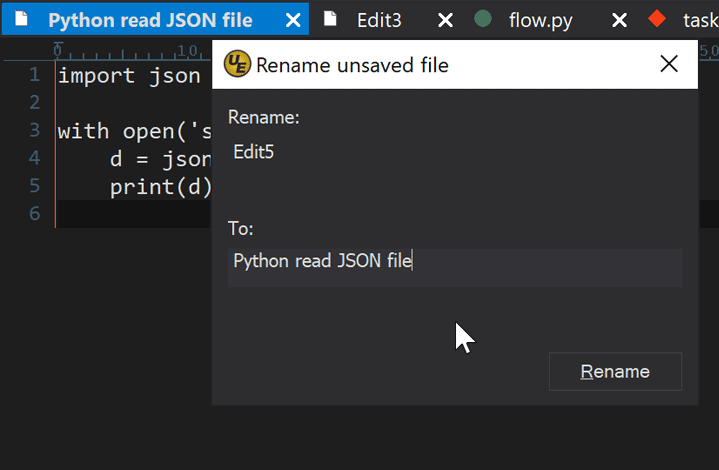
Rename unsaved files
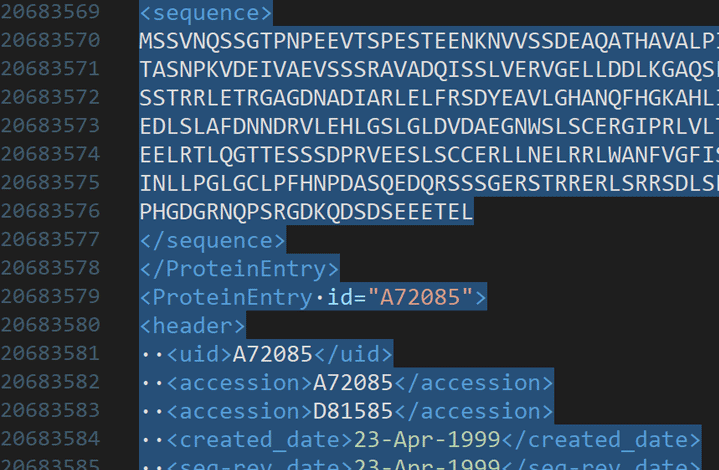
Copy 4+ GB data to clipboard (beyond Windows limit)
Fixes:
- Smarter positioning of child windows when opening off screen or on disconnected display
- Improved parsing of URL formats for right-click open
- Improved Reformat Paragraph with huge selections
- Optimized “Save selection as” with GBs of selected data
- Removed 160 byte limit on application title bar
- Addressed file locking issues when saving FTP files
- Addressed “Server signature does not match” issue with SFTP
- Improved selection while in column mode
- Addressed issue with duplicate characters in SSH log
- Added missing “To uppercase” command to key mapping
- Added file path and name to non-DOS line terminator prompt
- Addressed tool performance issue with “Show DOS box” enabled
- Further theming improvements
For the full list of new changes, head on over to our latest changes page.
UEStudio 2022.0
Even faster performance, quality of life changes, and a series of “under the hood” improvements to the features you all know and love.
UEStudio 2022 rounds up the best of the editor and makes it even better.
Rather than adding more functionality to an already extensive list, this release contains a series of optimizations that contribute significantly to an overall better code editing experience.
In this release, we’ve renewed our dedication to creating the best coding experience based on these three principles:

Performance
Load time, starup time, and overall UI responsiveness has been improved across the board.

Quality
Small UI tweaks and quality of life improvements in popular areas like column moden macros, and search among other.

User Experience
These add up to a better experience for your users. The usability and performance of the editor should be overall more snappy and intuitive.
Never miss a beat
UEStudio 2022 brings a host of performance optimizations to make sure no time is wasted on loading times.
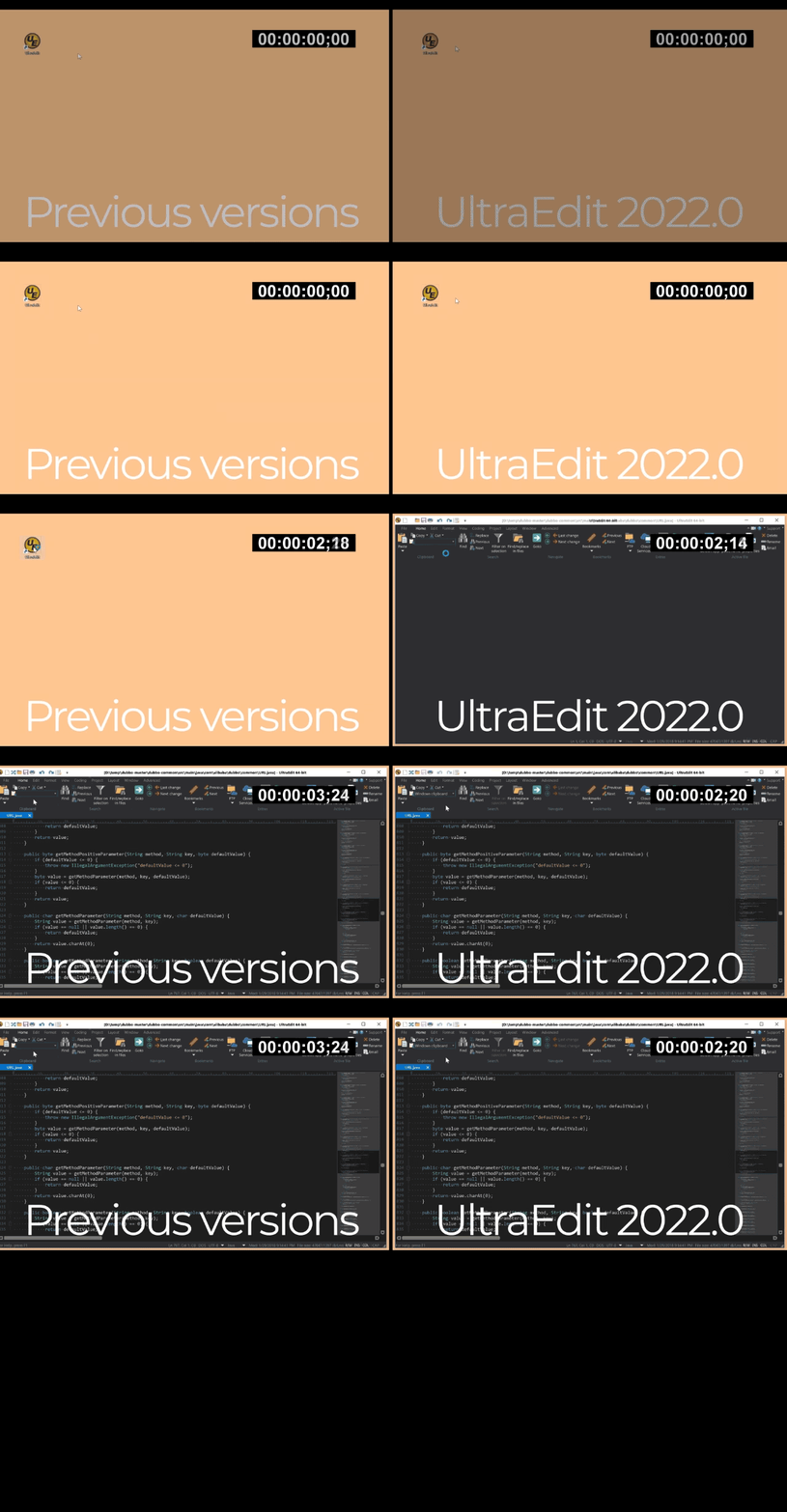
• Macro playback speed has been greatly improved, with macros playing up to 75% faster. We’ve also added an option to minimize screen updates when macros and scripts are running to improve performance.
• You can also use # comments to document your macros for easier maintenance.

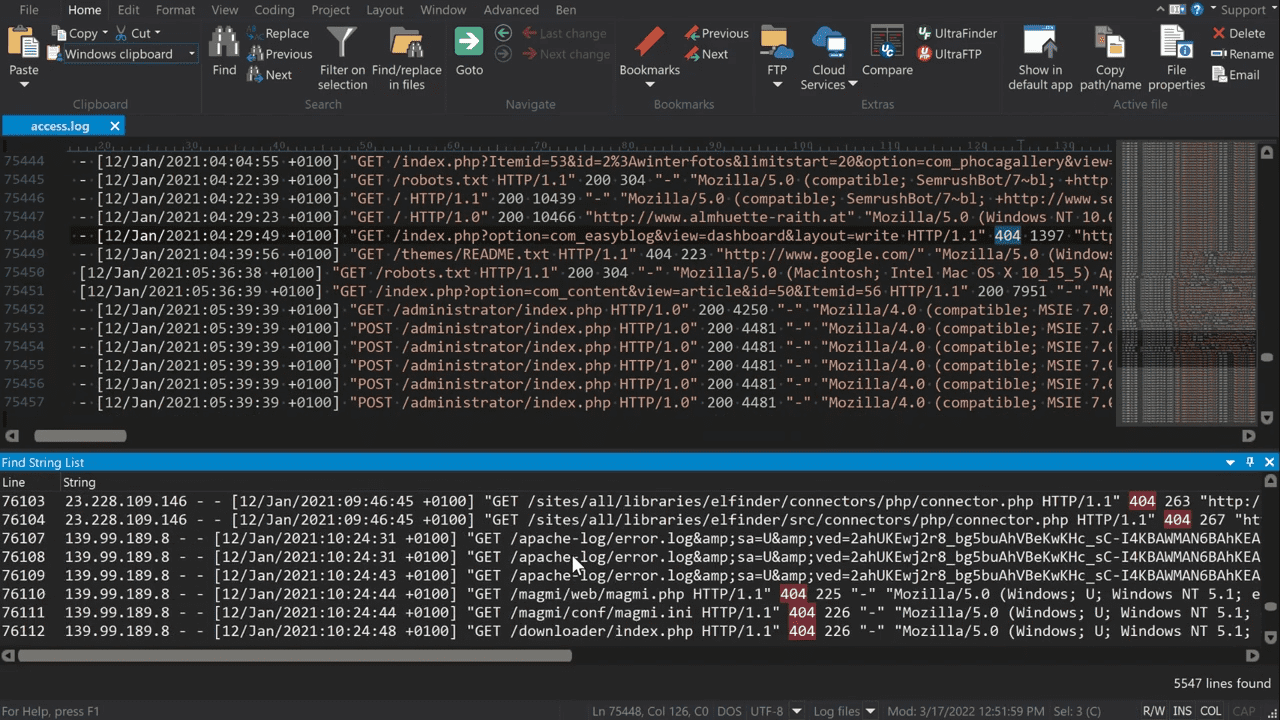
Find String List (List lines containing string) improvements. Creating a list by string query now performs better on large files. Option is also added to automatically check for query updates.
Other notable updates:
• Column mode optimizations. Editing via column mode now is faster and works just as well on larger files.
• Find String List (List lines containing string) improvements. Creating a list by string query now performs better on large files. Option is also added to automatically check for query updates.
• Perl regular expression improvements. Improved memory handling to support more complex regexps.
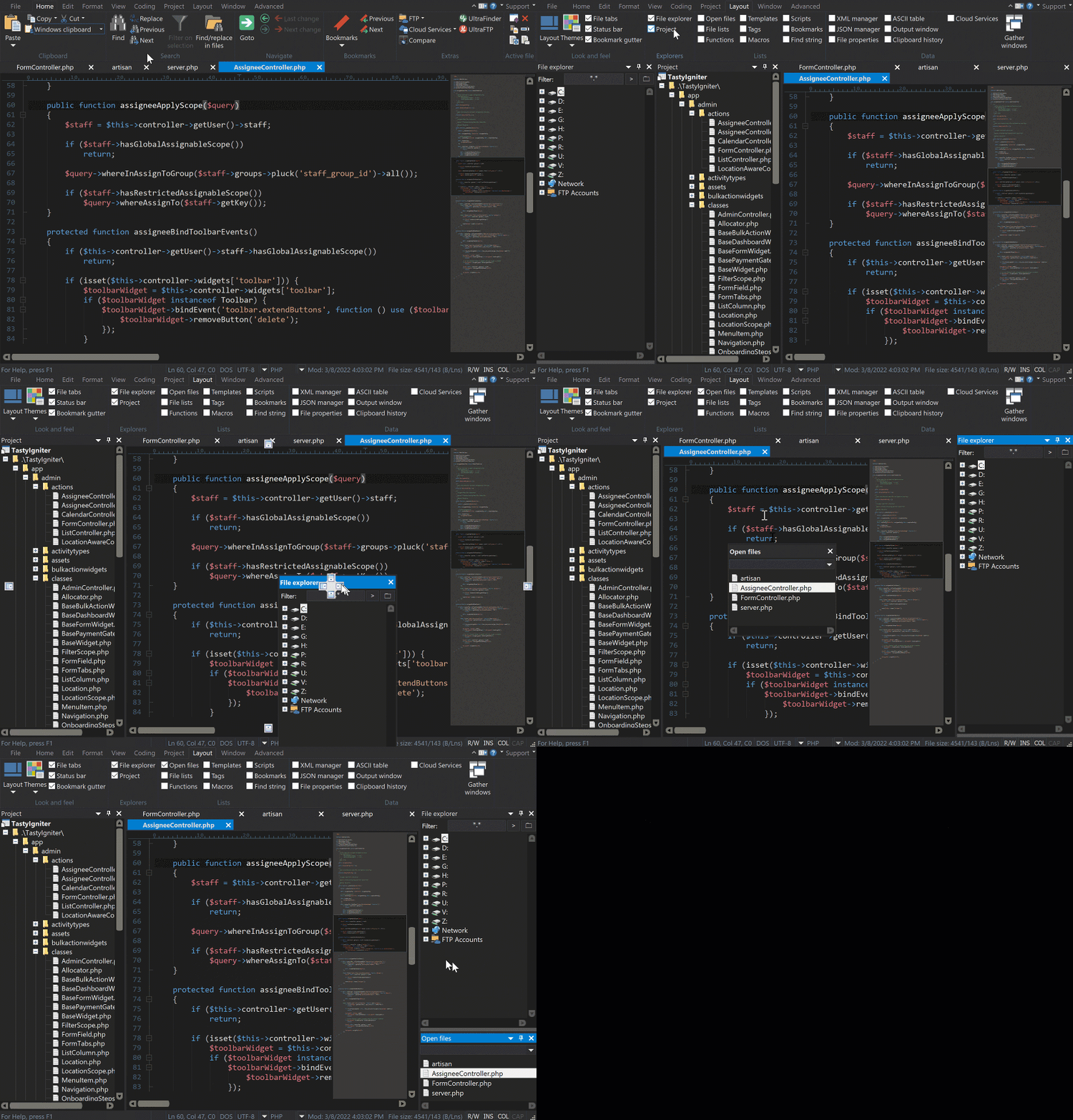
UI just the way you like it
Your interface, your rules. Place and dock anything you need, hide the windows you don’t.
File view / explorer window improvements. File view tabs can now be selectively opened and split into separate dockable windows.
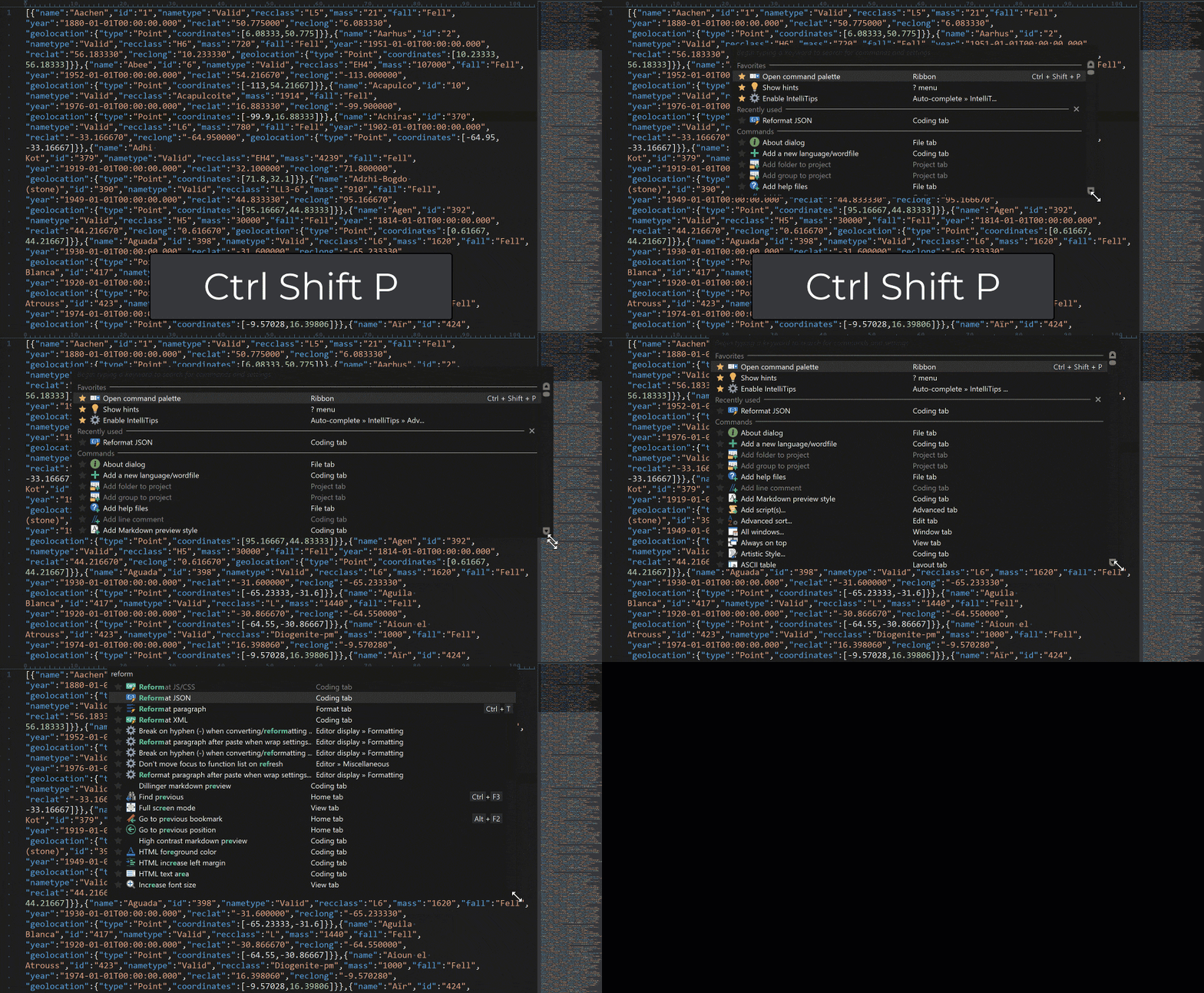
UI update: Windows and dialogs such as the command palette are now fully resizable.
Other notable updates
• Layout tabs to toggle any or all views you want displayed.
• Tools in ribbon now show more information (Hover to display extra tooltips).
Quality tools for quality work
Execute user tools on remote FTP files. Run tools on your remote FTP files
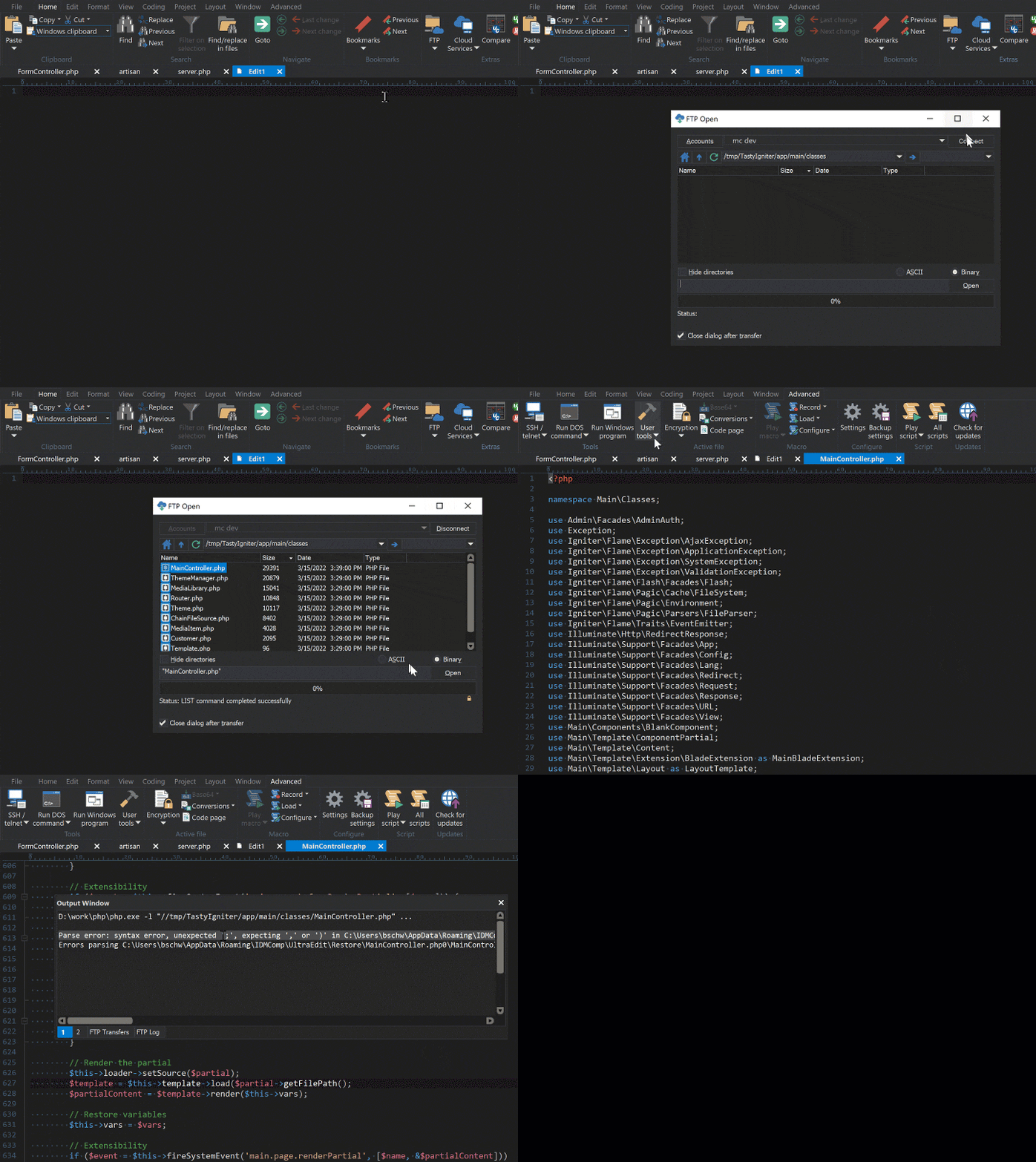
Real time tool updates. Using tools now provides feedback as they are executed.
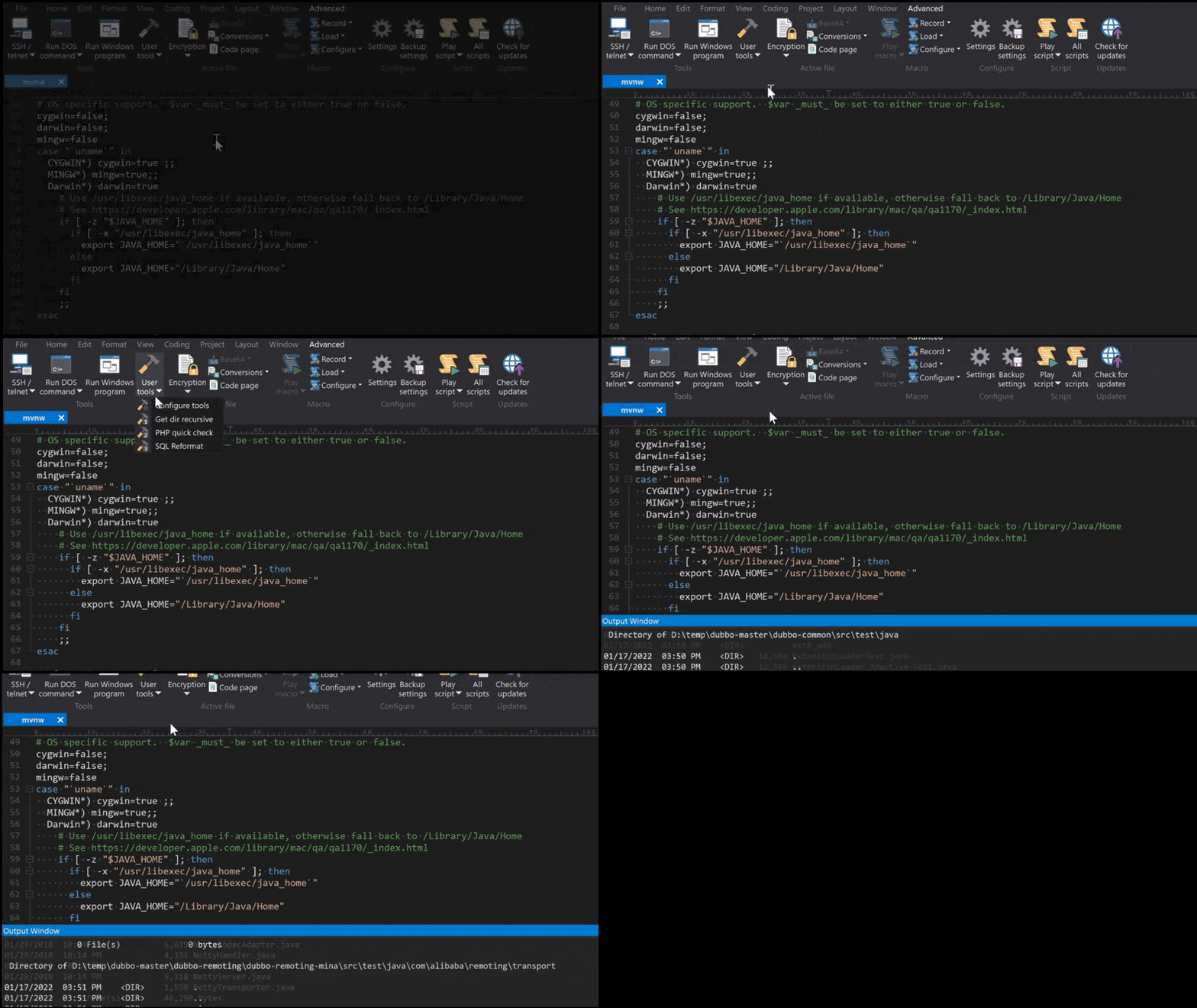
Other notable updates
- Improved caret positioning with proportional characters and fonts
- Quality tweaks to make tool responses intuitive
- Tool output is now displayed in real-time
- Improved scaling for custom tool icons in toolbar
For the full list of new changes, head on over to our latest changes page.
Download a free, full-feature trial to see why. Available for Windows, Mac, and Linux.