








See what’s new in UE 2025.1 →
UltraEdit helps data professionals work with massive 10GB+ files and sensitive data in one editor, without pushing basic tools beyond what they were built for.

UltraEdit for Windows
UltraEdit for Mac
UltraEdit for Linux









































When UltraEdit is the best choice?
UltraEdit is built for editing work where basic tools start to slow down, create workarounds, or introduce risk.

Work with large and heavy files
Open, search, and edit huge logs, CSVs, data exports, and generated files without splitting them into smaller parts or waiting for a basic editor to catch up.

Edit sensitive data with more confidence
Work with customer records, internal logs, configuration files, and regulated data without pushing sensitive files into browser tools or relying on unmanaged plugins.

Get support when issues arise
Rely on a professional editor with commercial support, regular updates, and a long track record, instead of depending on unsupported tools or plugin-heavy setups.
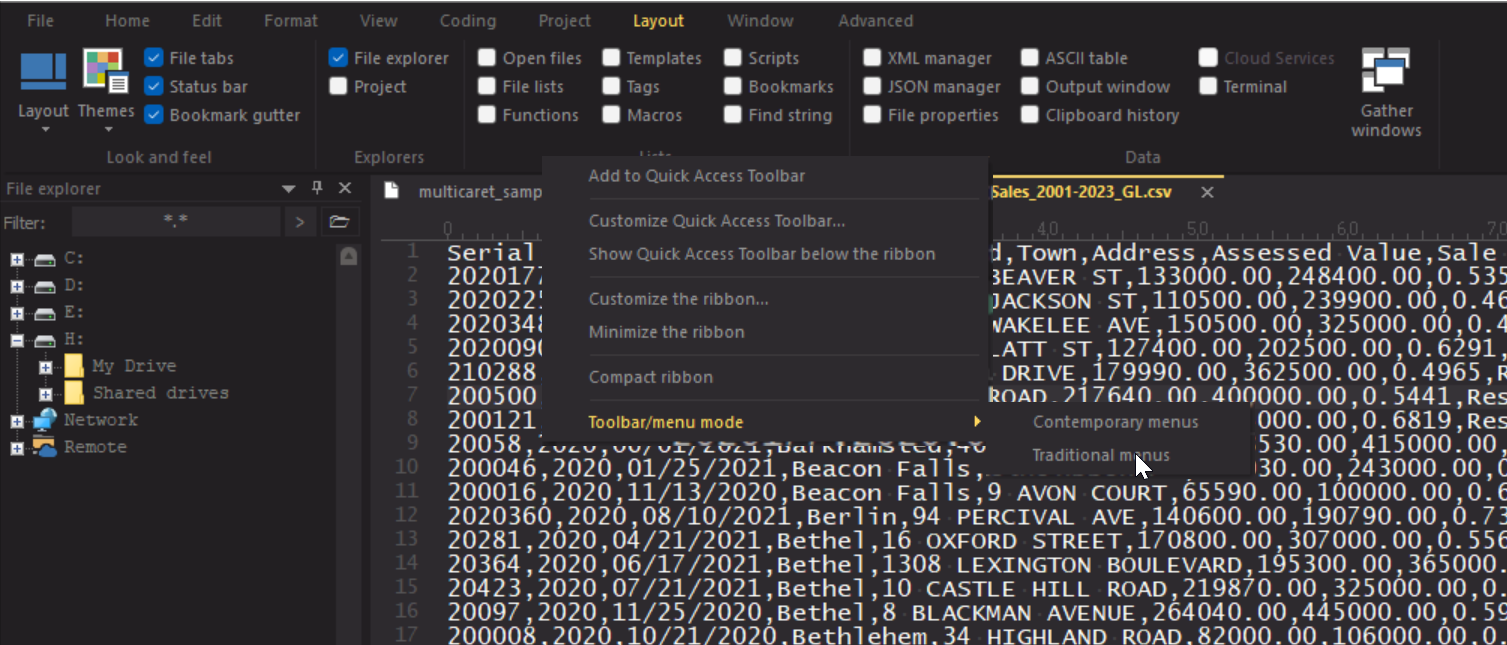
Customize your menu system. From a full ribbon to a classic and compact toolbar. You can also add/remove specific buttons from the menu.
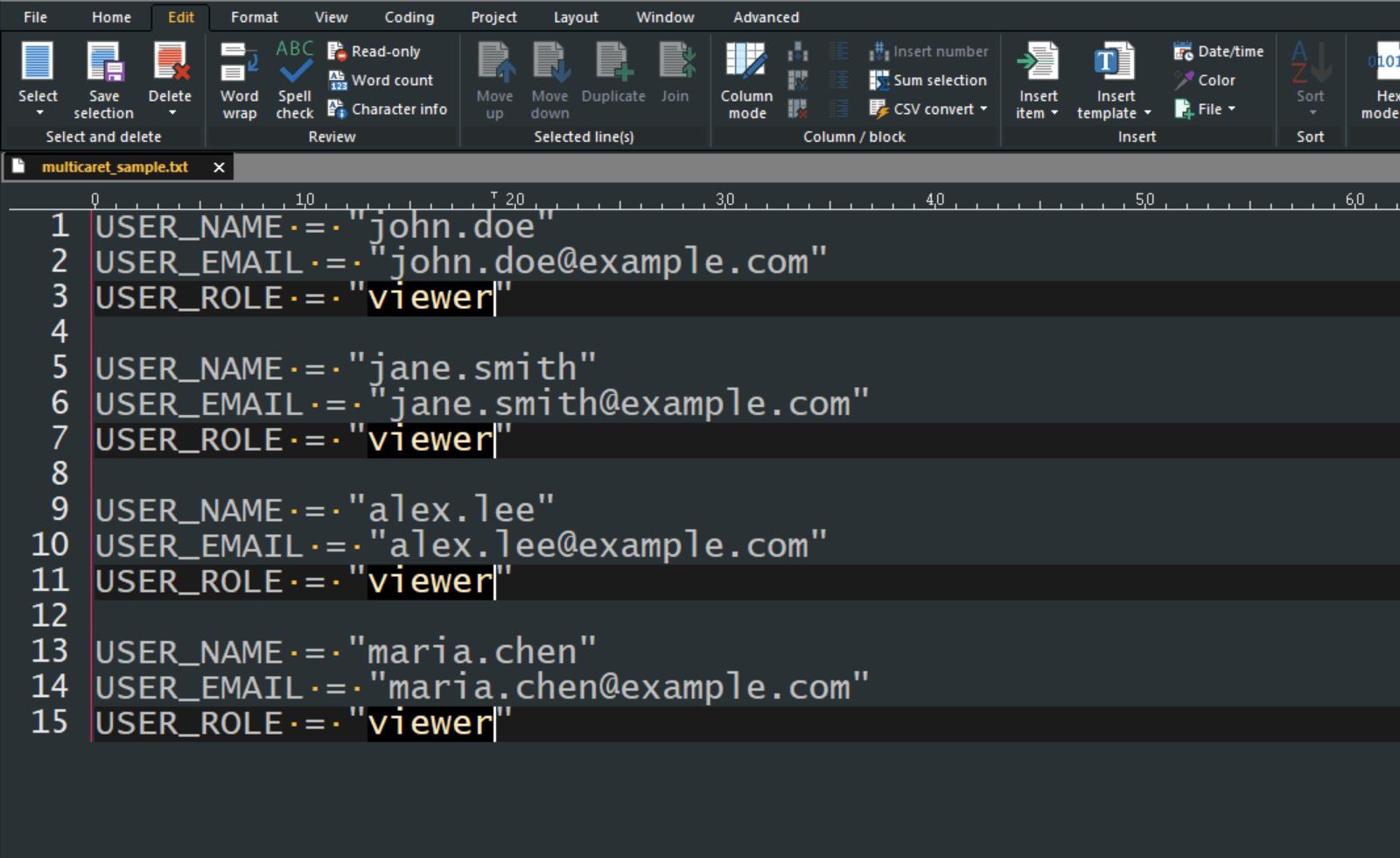
Quickly select and edit data quickly with multi-caret editing, column mode and multi select.
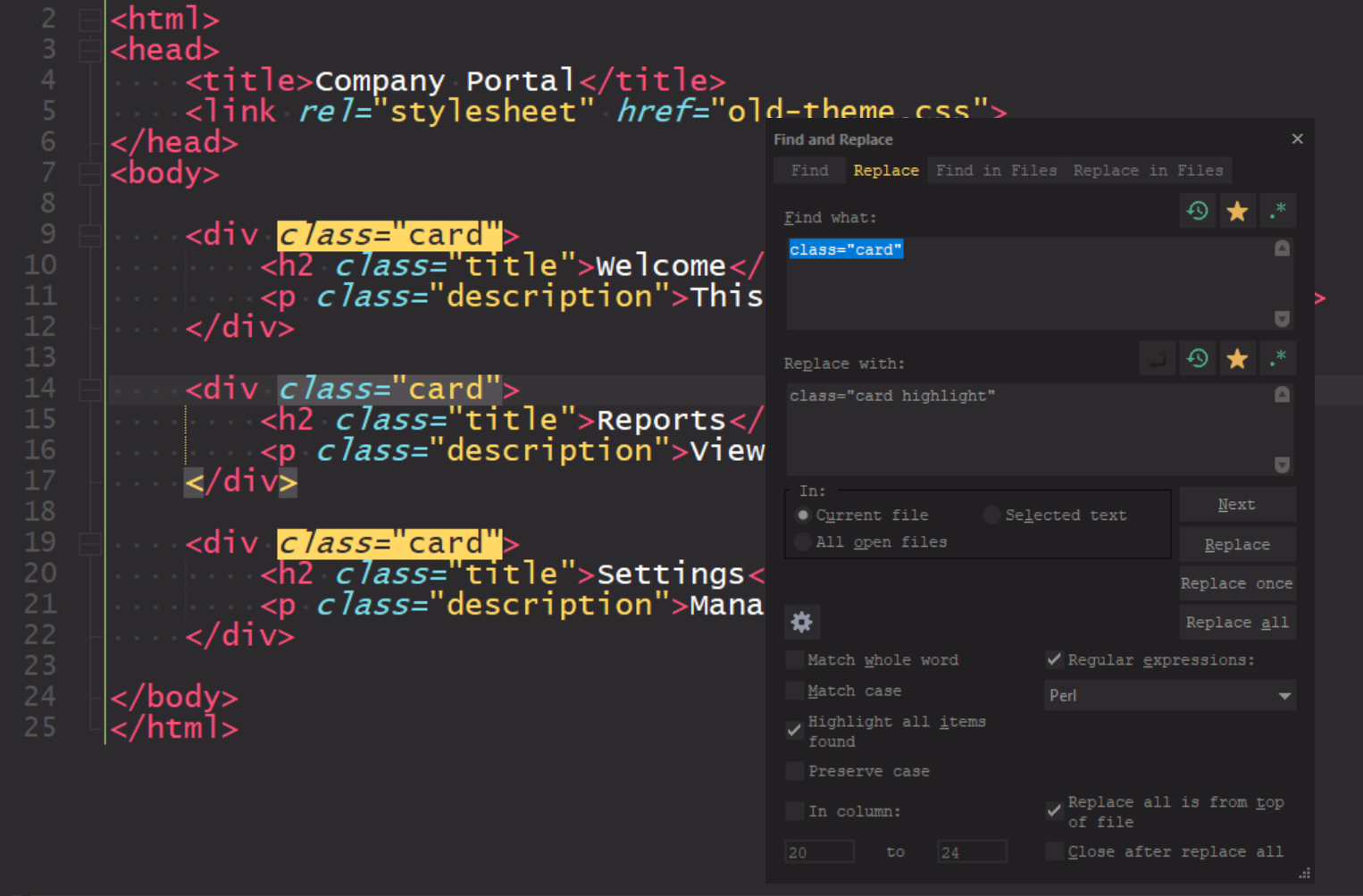
Find and replace lines in entire files, projects, and directories. Use filters such as regex, column-based search, line filters, and more…
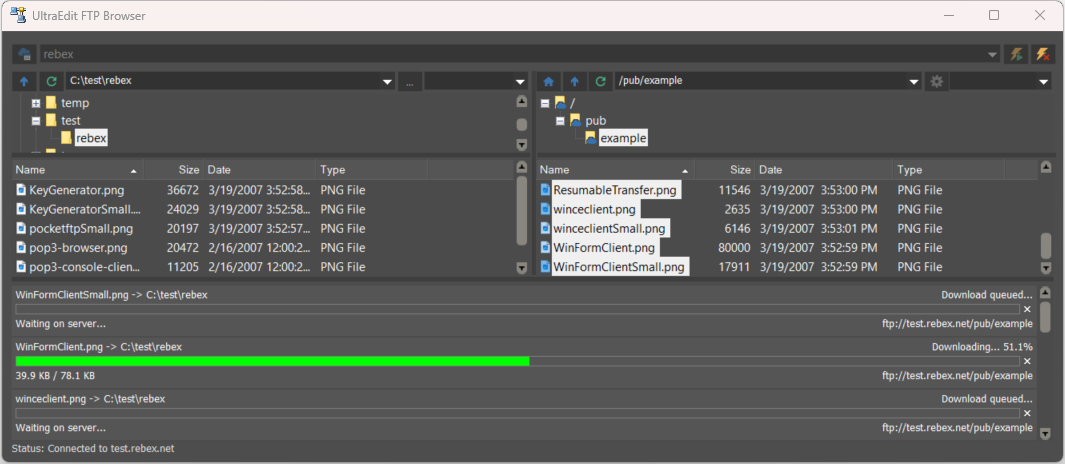
Use an integrated FTP/SSH/Telnet client inside UltraEdit. Works with macros, scripting, and templates for quick development.
Custom themes and layouts
Multi-caret editing, multi-select, & more
Unparalleled file search, in or across files
Built-in FTP, SSH, and more developer features
Want to explore at your own pace?

Full features unlocked

No credit card required

Works offline
Windows
Mac
Linux
Free trial
7 days
Full access to all features

Trusted by professionals and organizations

When my team started working with sufficiently large XML files for our product, we asked our IT team for a product where we could create/view and edit our files that was easy to learn. UltraEdit was just the thing we needed.
Felipe S.
Data Engineering Lead
Mid-Market (51-1000 emp.)
The support has been really great. I made a feature request, knowing it wouldn’t be a high priority, and a year later they contacted me to let me know that my feature had been implemented, and asked me to test the feature in a pre-release. I was very impressed.
Kent H.
Vice President, Data Management
Mid-Market (51-1000 emp.)
There are a lot of capabilities in UltraEdit that would typically require using multiple products to achieve the same results. Everything is in one product and well integrated, along with the easy creation of macros to automate repetitive tasks.
Doug F.
Owner and CEO
Small-Business (50 or fewer emp.)

Read more UltraEdit reviews on G2 →
What UltraEdit helps you avoid
See the difference when you switch to a professional editor

BEFORE


AFTER
Open, search, and edit large files without slowing down
BEFORE
AFTER
Work with 10GB+ logs, CSVs, and data exports with zero lags
BEFORE
AFTER
BEFORE
AFTER
Use a commercially supported editor for important editing work
BEFORE
AFTER
Get timely support from the technical team behind the product


What can you use UltraEdit for?

Dynamic code auto-completion with IntelliTips
Get context-aware code suggestions, function tips, and prompts for modern programming languages. Configure the level of assistance to fit the way you work.

Multi-Caret/Multi-Select
Edit multiple lines or selections at once. Copy, paste, delete, or change repeated text without doing the same work over and over.

HTML / Markdown Live Preview
Preview HTML or Markdown as you edit, with GitHub-flavored Markdown support and syntax highlighting. Double-click elements in the preview to jump to the source.

Search
Search across files, folders, and large directories with powerful filters, including regular expressions. UltraEdit can search even very large files with ease.

Column mode
Edit vertically across rows and columns with precision. Perfect for tabular data, aligned text, logs, and structured code.

Integrated FTP, SSH & Telnet
Edit remote files, upload projects, and connect to servers directly from UltraEdit without switching tools.

Customizable UI
Adjust menus, toolbars, ribbons, and layouts to match the way you work. Keep your most-used tools exactly where you need them.

Themes
Choose from built-in and community themes, then fine-tune colors and layouts to make UltraEdit feel like your own workspace.
AI assistant inside the editor, broader FTP compatibility, continued security hardening, and more reliable column mode.
 Updated June 2026
For organisations in regulated industries
UltraEdit gives businesses a commercially supported tool to handle sensitive, regulated, or operationally important data.


SOC 2 compliant
Regular patches
Security audits

Give your team an editor that stays responsive when files get large and workloads become demanding.
99.9% uptime
10GB+ files
Enterprise grade

24/7 support
<4hr response
Dedicated team


500K+
