








UltraEdit 2026.0 brings the UltraEdit AI assistant directly into the Windows editor, alongside broader FTP compatibility, improved FTPS performance, continued security hardening, more reliable column mode editing, and UI improvements.
Together, these updates make UltraEdit quicker to learn, easier to navigate, and more dependable for demanding text, code, and data workflows.
Let’s take a closer look at what’s new in UltraEdit 2026.0 and UEStudio 2026.0 for Windows.
The UltraEdit AI assistant, now available inside the Windows editor
The biggest new addition in UltraEdit 2026.0 for Windows is the UltraEdit AI assistant, now available directly inside the product.
If you’re new to UltraEdit, the assistant gives you a more natural way to learn the editor. You can ask how specific features work, where to find certain options, or which workflow to use for a task you’re trying to complete.
If you already know UltraEdit well, the assistant can help you move even faster. Use it to check whether UltraEdit can handle a specific editing scenario, confirm which feature fits your use case, or find a faster way to complete a task you usually do manually.
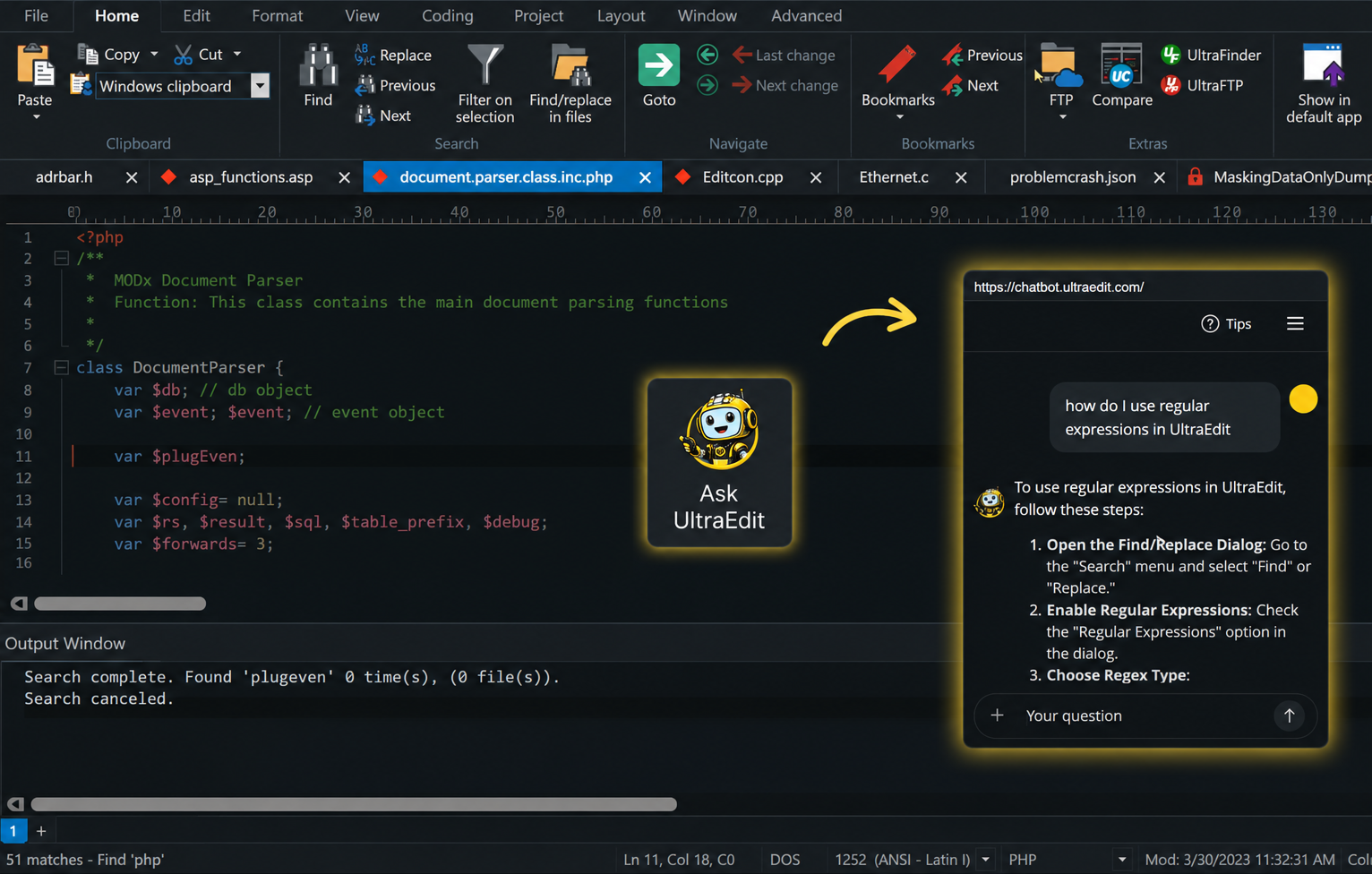
The UltraEdit AI assistant is designed to streamline your work and make it easier to navigate everything UltraEdit has to offer. Rather than replacing existing workflows, it helps you quickly find features, get guidance, and accomplish tasks inside the editor, making our powerful editor even more approachable and efficient to use.
Better FTP support across more server environments
FTP is one of the biggest areas of improvement in this release. If you work with FTP, SFTP, FTPS, or secure remote server environments, you know how fragmented that space can be. Some servers are modern. Others are older. Some are cloud-based. Others are tied to enterprise systems, legacy infrastructure, or highly specific security requirements.
UltraEdit 2026.0 adds support for more key exchange algorithms, MAC algorithms, and cipher algorithms, helping you connect to a broader range of servers.
Key Exchange Algorithms include:
-
- diffie-hellman-group18-sha512
- diffie-hellman-group16-sha512
- [email protected]
- diffie-hellman-group1-sha1
MAC Algorithms include:
Cipher Algorithms include:
-
- 3des-cbc
- rijndael256-cbc
- [email protected]
This improves compatibility with servers where you could previously run into connection errors such as:
“Crypto algorithm could not be negotiated”
We’ve also improved FTPS performance by addressing long save times when saving to certain servers. For specific FTP workflows, especially those involving large files, save and transfer operations should now feel faster and more responsive.
This release also includes FTP-related refinements for crashes, certificate handling, and cases where the FTP Open dialog could remain locked after a successful transfer.
If FTP is part of your regular workflow, UltraEdit 2026.0 should give you better compatibility, better performance, and a more dependable connection experience across more server environments.
Continued security hardening for sensitive environments
Security is another major focus in UltraEdit 2026.0, even when the work happens behind the scenes.
For UltraEdit, security is part of the ongoing product standard. It affects how we test builds, handle third-party components, support restricted environments, and respond to security or compliance-related concerns when they come up.
With this release, we continued that work by addressing common code issues flagged by static analysis and reducing security-related findings by roughly 60%.
That kind of improvement may not always appear as a visible feature in the interface, but it matters for teams using UltraEdit in data-sensitive, security-conscious, or restricted environments.
The goal is simple: keep strengthening the product foundation so you can rely on UltraEdit for critical text, code, and data workflows with more confidence.
Cleaner search and Find in Files behavior
Search is one of the most important workflows in UltraEdit.
Whether you’re working through large files, logs, codebases, structured data, or multi-file projects, search needs to feel predictable and dependable. UltraEdit 2026.0 includes several refinements across search and Find in Files.
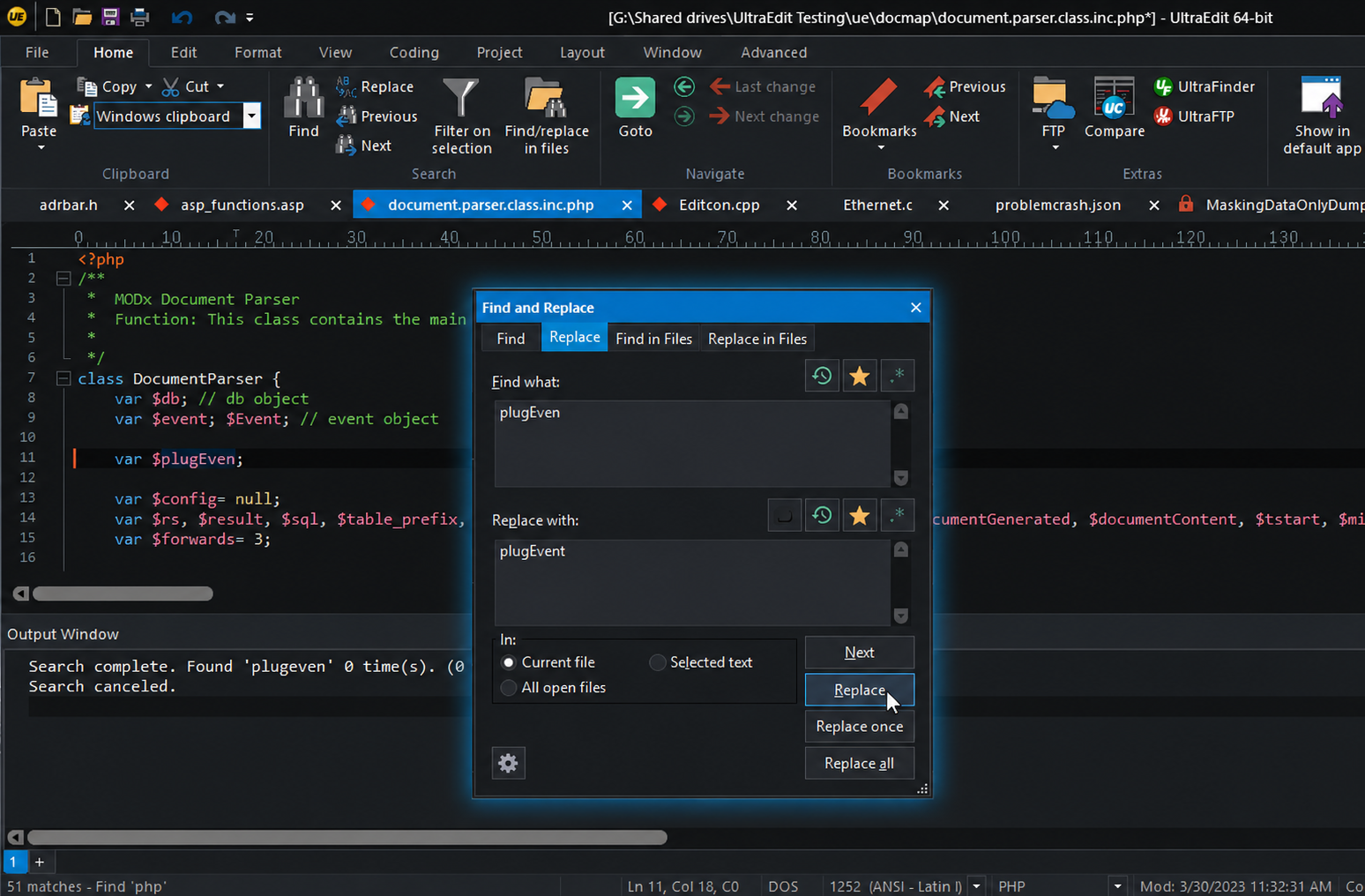
This release includes improvements such as:
-
- The Find button now correctly changes to Cancel in the Find in Files dialog while a search is in progress
- Fixed focus behavior when pressing CTRL+F
- Fixed cases where the Perl option for regular expressions was not remembered after restart
- Improved Search in All open files behavior after the Filter option had been selected
- Improved List lines containing find string behavior so valid matches are included as expected
- Improved UTF-8 character display in the Find String List with certain customer settings
- Cleaned up visual issues in the Hex Replace dialog for Match case and Regular expressions controls
These updates are all part of the same goal: making search feel smoother, more consistent, and easier to trust in everyday work.
More reliable column mode editing
Column mode also received a focused quality pass in UltraEdit 2026.0.
For many users, column mode is one of the reasons UltraEdit is such a valuable tool for structured text editing, data cleanup, alignment, repetitive changes, and advanced editing workflows.
This release includes improvements across paste behavior, delete behavior, selections, clipboard updates, split window editing, and TAB handling.
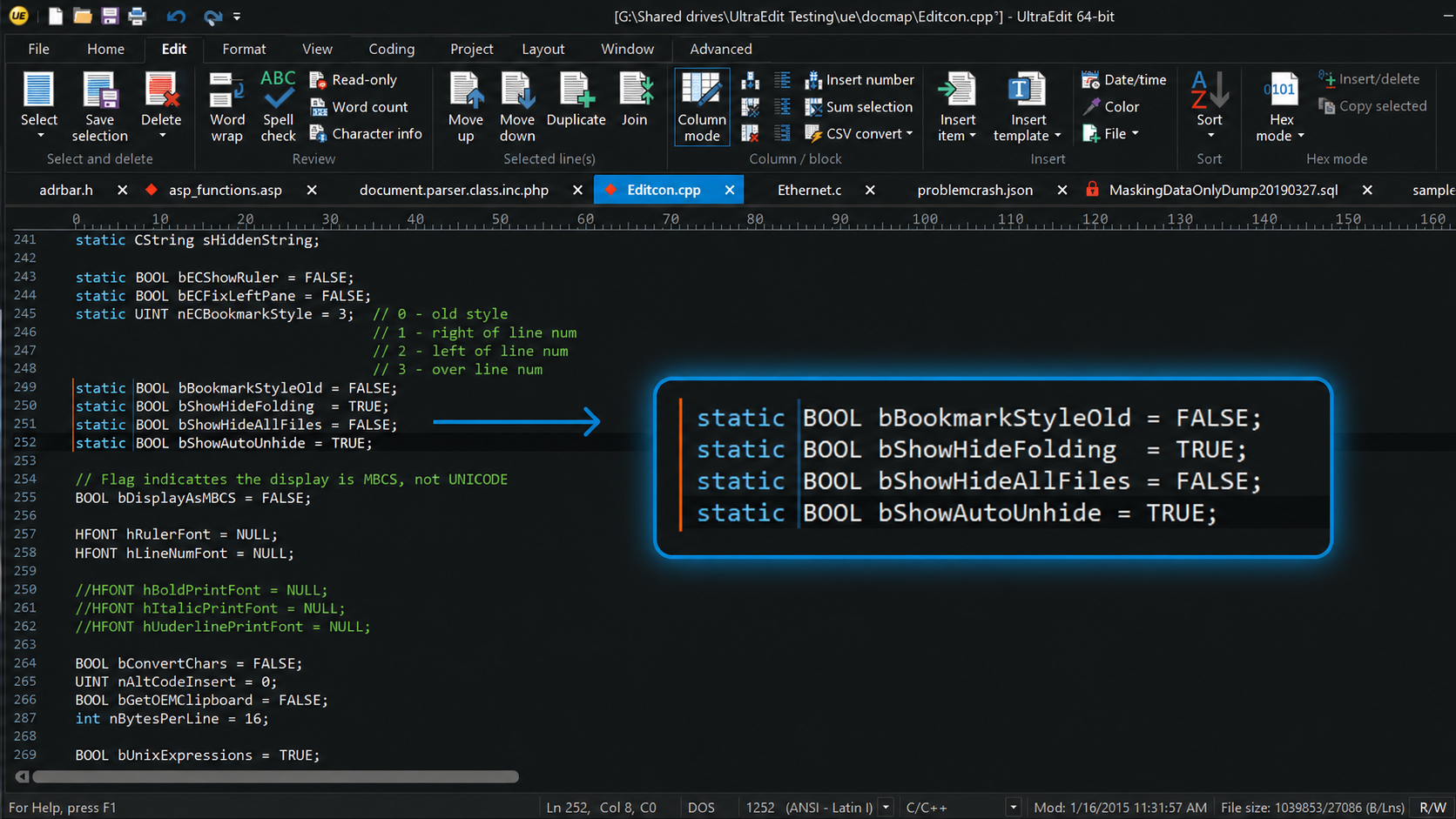
Notable column mode refinements include:
-
- Improved indent behavior for multiple selections
- Improved Paste column behavior around pad spaces
- Improved paste behavior in column mode on lines containing TABs
- Improved Column mode DELETE behavior
- Improved split window behavior when typing in column mode
- Improved focus behavior when creating column mode selections across lines with no text
- Improved Windows clipboard behavior when copying in column mode
If you rely on column mode for technical editing, these refinements should make the experience more consistent and predictable.
A smoother core editing experience
Beyond FTP, search, and column mode, this release includes a wide range of improvements to the general editing experience.
These updates cover everyday behavior around focus, selections, recent files, startup, user tools, macros, templates, and file handling.
Highlights include:
-
- Added Recently closed files to automatically appear in the File lists view when not empty
- Improved focus behavior after startup
- Improved Insert number behavior so the resulting selection behaves as expected
- Improved handling of TAB insertion on empty lines
- Improved handling of files opened through the command palette so they appear in the Recently opened files list
- Improved cleanup of non-existent recently opened files
- Improved handling of command line paths using / and \ separators
- Improved captured output behavior from user tools
- Improved user tool icon scaling
- Improved behavior for batch files and DOS commands run through user tools
- Improved macro editing behavior after deleting a macro
Together, these refinements are designed to make UltraEdit feel smoother across the kinds of real workflows you use every day.
UI, settings, and localization cleanup
UltraEdit 2026.0 also includes a broad cleanup pass across the interface, settings, menus, toolbars, dialogs, and localized versions of the product.
Some of these updates are small on their own, but together they help make the application feel cleaner and more consistent.
This release includes:
-
- Contemporary menu keyboard shortcut refinements
- Toolbar label setting improvements
- Hidden toolbar storage improvements across UI modes
- Key mapping refinementsÍ
- Configuration setting improvements
- Template directory setting improvements
- Default language template file cleanup
- Hex mode selection refinements
- Status bar column reference improvements for multi-byte characters
- German interface text improvements
- A fix for the Alt+H shortcut in the German Ersetzen in Dateien window
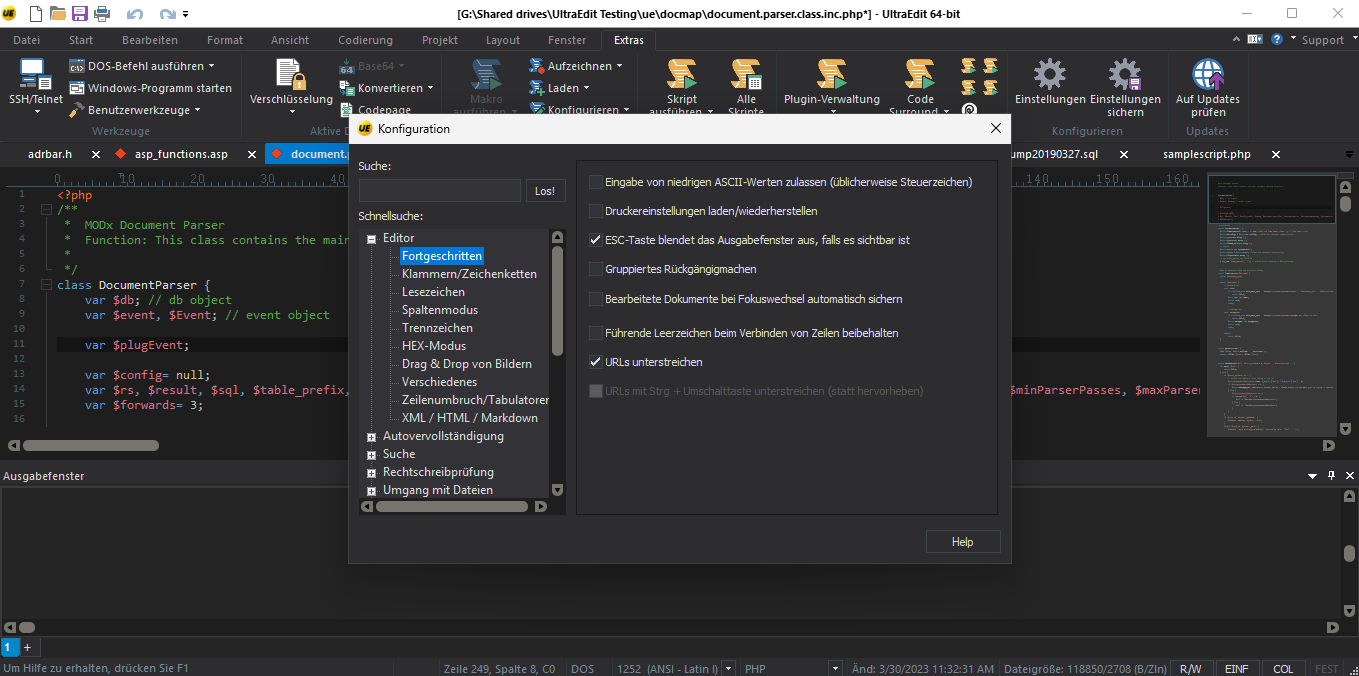
We know many of you use UltraEdit in highly customized environments, with your own settings, key mappings, toolbars, interface modes, and localized versions. This release includes a lot of cleanup work to make those environments behave more consistently.
UEStudio 2026.0 improvements
UEStudio 2026.0 includes the same core improvements as UltraEdit 2026.0, along with refinements for development-focused workflows.
This release includes:
-
- Added a method to cancel the git log command
- Improved JavaScript function list behavior for async functions
- Improved JSCompressDocument and JSFormatDocument behavior when used in a macro
- Improved macro editing behavior after deleting a macro
- Improved PowerShell Terminal behavior when launching UEStudio through a shortcut file with an assigned shortcut key
- Improved customer SAS template file behavior
For UEStudio users, this release brings more stability and consistency across Git, JavaScript, macros, terminal workflows, templates, and project-related editing tasks.
A quick note for Mac and Linux users
This article focuses on UltraEdit 2026.0 and UEStudio 2026.0 for Windows, but we also want to mention the work happening across Mac and Linux.
We know the Mac and Linux versions have not been at the same level as Windows, and we’re working to move those platforms in the right direction.
The latest 2025.0 Mac and Linux update is focused heavily on stability, reliability, and performance, including reduced CPU usage in specific scenarios. This is not the final step, but it is an important beginning.
Learn more about the 2025.0 update for Mac and Linux in this article.
Built around what you asked for
UltraEdit 2026.0 and UEStudio 2026.0 are focused on improving the product you already rely on.
You asked us to spend more time on quality, reliability, stability, and the core editing experience. This release is a direct response to that feedback.
With broader FTP compatibility, improved FTPS performance, continued security hardening, cleaner search behavior, more reliable column mode editing, and a wide range of UI and usability refinements, UltraEdit 2026.0 gives you a smoother and more dependable environment for demanding text, code, and data work.
Download UltraEdit 2026.0 and UEStudio 2026.0 for Windows
UltraEdit 2026.0 and UEStudio 2026.0 for Windows are available now.
Update today to get the latest FTP, security, performance, stability, and editing experience improvements.



0 Comments